Teachers can use space games for school to teach science, math, and teamwork. The games spark curiosity and improve memory. The guide lists six classroom-ready titles and shows how teachers can pick, run, and assess game-based lessons. The guide aims to help schools adopt games that meet standards, fit technology limits, and include all students.
Key Takeaways
- Space games for school enhance student engagement and improve retention by providing hands-on practice and immediate feedback in science concepts like orbit and gravity.
- Teachers should select age-appropriate space games that align with learning outcomes, considering game complexity, assessment options, and accessibility features.
- Aligning space games with curriculum standards such as NGSS and math ratios ensures focused instruction and helps secure administrative support and funding.
- Planning classroom logistics, including device compatibility, network needs, and inclusion strategies, is essential for successful integration of space games into lessons.
- Recommended space games span grades K–8 and offer a range of skills from basic orbit understanding to teamwork and data logging for engineering design.
- Effective lesson plans using space games combine brief launch introductions, gameplay sessions, student reflections, and rubric-based assessments to deepen understanding and guide feedback.
Why Space Games Boost Learning And Student Engagement
Space games for school deliver hands-on practice and immediate feedback. Students explore orbit, scale, and gravity through simulation and play. Teachers report higher focus and more student talk about science after short game sessions. Games present problems that require planning, prediction, and revision. Students test hypotheses and see results fast. The result is better retention of facts and stronger problem-solving skills. Games also motivate students who prefer visual or kinesthetic learning. Schools that pair games with short reflection see deeper understanding and clearer evidence of learning.
How To Choose Age-Appropriate Space Games
Teachers should match game complexity to grade level when they select space games for school. Younger students need clear goals, short sessions, and simple controls. Older students benefit from strategy, data logging, and linked tasks. Teachers must read learning outcomes and sample play videos before purchase. They must check ratings, reviews, and teacher guides. They should pilot a game with a small group before whole-class use. They must confirm assessment options and whether games export student work or scores for grading.
Curriculum Fit: Aligning Games With Standards And Learning Goals
Teachers should map game objectives to local standards when they adopt space games for school. They can align a mission-planning game with NGSS performance tasks on forces and motion. They can align a scale-and-distance game with math standards on ratios and measurement. Teachers should plan clear learning targets, success criteria, and short formative checks tied to in-game tasks. They should document how gameplay meets standards and share that with administrators. This step helps secure time and funding for game licenses and ensures instruction stays focused on required outcomes.
Accessibility, Technology Requirements, And Classroom Logistics
Schools must check device compatibility and internet needs before they buy space games for school. Teachers should ensure devices meet minimum specs and that the network allows gameplay. They should choose games with adjustable text size, audio cues, and simplified controls to include students with diverse needs. Teachers must plan for classroom logistics: rotation schedules, headphone use, and backup paper tasks. They must train a peer leader or assistant to help during sessions. They should also secure consent and explain data use to families when games collect student progress.
Top 6 Space Games Recommended For Classrooms (Grades K–8)
- Planet Builder Jr. (K–2): Simple drag-and-drop planet creation. It teaches order, size, and basic orbit ideas. 2) Rocket Math Mission (1–4): Timed calculations fuel rockets. It supports fluency and mental math. 3) Orbit Lab (3–6): Students adjust mass and velocity to create stable orbits: it links to physics standards. 4) Scale the Solar System (3–8): Visual scale tasks build proportional reasoning. 5) Mission Control Simulator (5–8): Team roles, planning, and data logging drive collaboration and engineering design skills. 6) Astrobiology Quest (6–8): Short research challenges connect life science and evidence evaluation. Each title offers teacher guides or exportable results for assessment.
Integrating Space Games Into A Lesson Plan And Assessing Learning
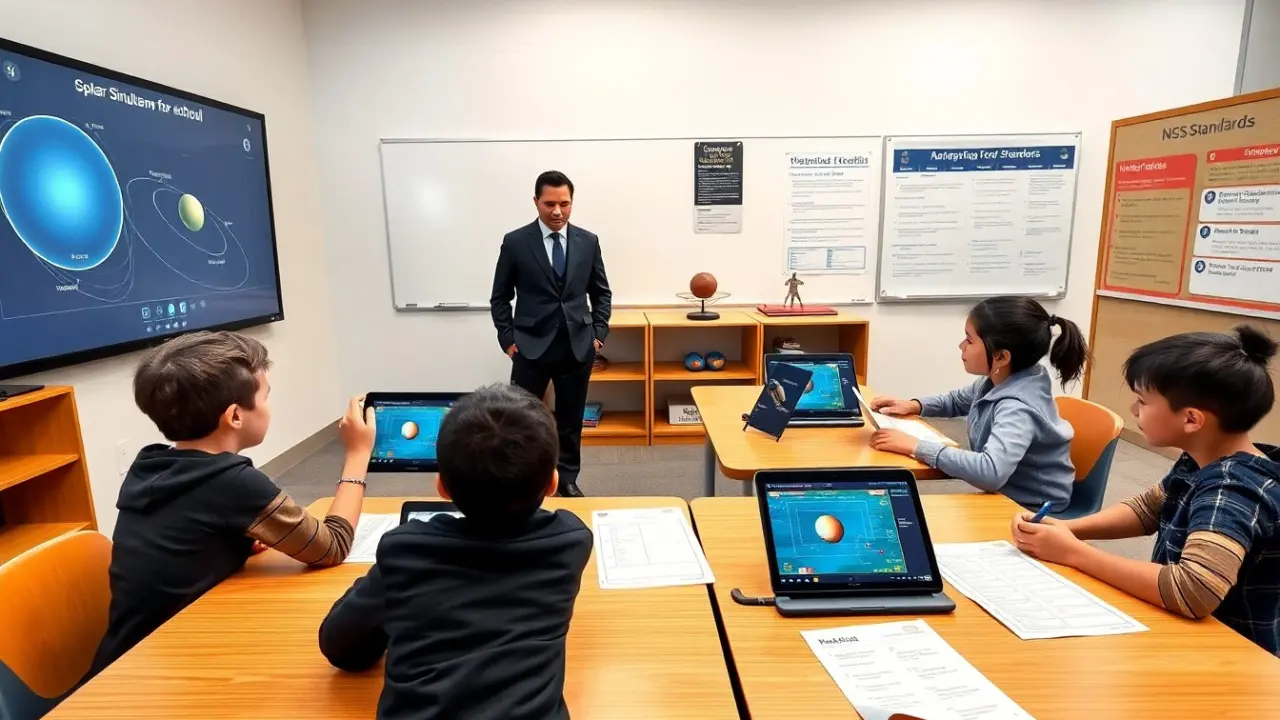
Teachers should start with a single learning objective when they add space games for school to a lesson. They must plan a brief launch, 20–30 minutes of gameplay, and a 10–15 minute reflection. Teachers should ask students to record hypotheses, actions, and outcomes during play. They can use rubrics that measure strategy, explanation, and evidence use rather than just in-game scores. Teachers should collect artifacts: screenshots, short lab notes, or exported logs. They should give targeted feedback and a quick reteach for common errors the game reveals.
Sample 1‑Lesson Plan: A 45‑Minute Space Game Activity With Assessment Rubric
Objective: Students will model how orbit speed and mass affect orbital path. Materials: Orbit Lab game on tablets, lab sheet, rubric. 1. Launch (5 minutes): Teacher states objective and models one trial. 2. Gameplay (25 minutes): Students work in pairs. Each pair runs three trials, records mass, speed, and resulting orbit. 3. Reflection (10 minutes): Pairs post one screenshot and answer two prompts on the lab sheet. 4. Assessment (5 minutes): Teacher uses a three-point rubric: 3 = explains cause and shows correct data: 2 = partial explanation: 1 = missing or incorrect data. Teachers use rubric notes to plan the next lesson.