flight stick for pc offers better precision than a gamepad for flight sims. Gamers want control that mimics real aircraft. This guide shows why a flight stick for pc matters, the main stick types, how to choose one, and top picks for 2026.
Key Takeaways
- A flight stick for PC enhances precision and immersion in flight sims and combat games by offering direct control over pitch, roll, throttle, and yaw.
- Choosing between a single joystick and a HOTAS setup depends on your flying style, desk space, and need for control complexity.
- Prioritize flight sticks with hall-effect or high-resolution sensors, comfortable ergonomics, and stable mounting options to ensure accuracy and durability.
- Software compatibility and customizable controls are crucial for easy setup and accessing game-specific profiles, especially for VR support.
- Top flight stick picks for 2026 range from budget-friendly single joysticks under $80 to premium full-metal HOTAS systems over $400, catering to different skill levels and gaming needs.
Why Use A Flight Stick For PC Flight Sims And Combat Games
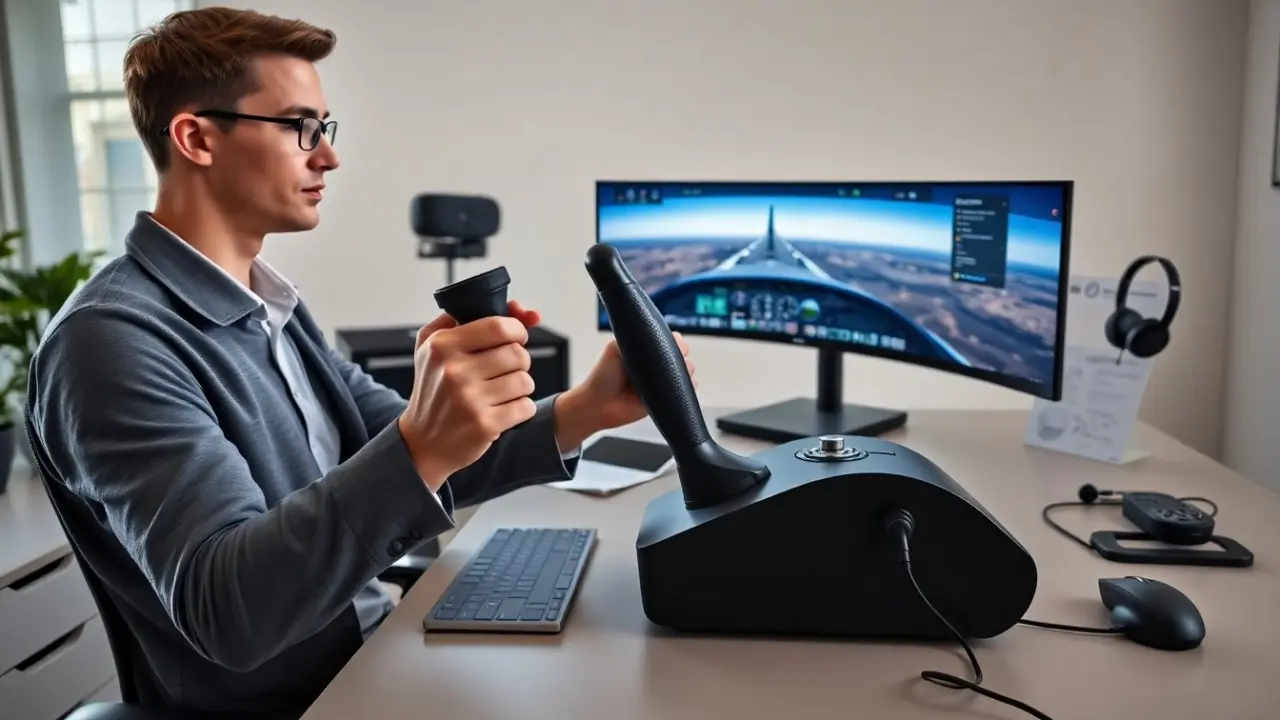
A flight stick for pc gives direct control of pitch and roll. It gives finer input than a mouse or controller. Pilots in sims can adjust throttle, trim, and yaw with dedicated controls. Combat players can snap to targets quicker with a stick that has precise centering. A flight stick for pc also adds immersion. Vibration or force feedback can cue the player about stalls or impacts. Many sims and combat games include native support for flight sticks. They let the player map controls in simple, predictable ways.
Beyond basic control, a dedicated flight stick for pc changes how you learn flight procedures: analog inputs let you practice smooth throttle transitions and coordinated turns, and physical hats and buttons reduce reliance on keyboard shortcuts. In multiplayer or VR, the tactile layout speeds reaction times—critical in dogfights and carrier operations. For serious sim pilots, a flight stick for pc serves both as an input device and a training aid, helping build muscle memory for real-world control inputs.
Flight Stick Types And What They’re Best For
Buy a stick type that matches the player’s goals. A single joystick suits casual flying and light combat. A HOTAS setup suits serious sim pilots and multiplayer combat. Some players choose a hybrid that mixes a quality stick with a budget throttle. The market now includes modular sticks that add or remove parts. Modular gear helps the player upgrade over time. Price varies with sensors, buttons, and build materials. Higher prices often buy better sensors and longer life. Check compatibility with the player’s PC and favorite sims before buying.
To expand on common types: single-stick units are compact, often USB plug-and-play, and are good for general aviation sims or arcade-style combat. HOTAS systems (Hands On Throttle And Stick) split controls between two devices and are favored for jet sims and complex airliners because they allow independent throttle management and more programmable inputs. Rudder pedals complement any setup and are recommended if you fly transports or realistic military aircraft. Finally, modular and pro-grade sticks offer removable grips, swappable sensor modules, and additional axes (e.g., toe brakes or split throttles) for cockpit builders and advanced users.
HOTAS Vs. Single Joystick: Key Differences And Use Cases
A HOTAS setup separates throttle and stick into two devices. It gives simultaneous control of speed and attitude. Pilots can manage power and aim without removing a hand. A single joystick keeps the setup simple and uses less desk space. A single joystick suits casual users and those with small desks. A HOTAS suits users who want full control in complex sims. The player should pick a HOTAS if they fly jets or heavy transports. The player should pick a joystick if they value simplicity and low cost.
When deciding, consider typical scenarios: for bush flying, a single stick and good rudder input may be enough; for carrier landings and jet combat, HOTAS with separate throttle and multiple hat switches reduces cockpit fumbling. Also factor in ergonomics—HOTAS can be arranged ergonomically for longer sessions, while single sticks often require repositioning for throttle control. Desk space, budget, and whether you plan to expand into rudder pedals or a flight deck should guide the choice.
How To Choose The Right Flight Stick For Your Needs
The player should start by listing needs and budget. They should test a layout when possible. They should check software support for game profiles. They should look for sensors that match desired precision. They should prefer hall-effect or high-resolution sensors for centering. They should confirm operating system drivers and app updates. They should consider desk space and mounting needs. They should read reviews from players who use the same sims. They should set a realistic upgrade path to avoid wasted expense.
Practical selection steps: 1) List the games and aircraft types you fly most, 2) Decide whether you need a separate throttle and how many programmable buttons you require, 3) Inspect the stick’s sensor technology—magnetic/hall-effect sensors reduce wear and drift over time, 4) Verify community support and manufacturer software for custom mappings and firmware updates, 5) Measure your desk or cockpit to confirm mounting or clamp compatibility. Also factor in warranty and spare-part availability; replaceable grips and spring modules extend usable life.
Controls, Buttons, And Software Compatibility To Prioritize
Count the buttons and hat switches you need. Map critical functions to easy-to-reach controls. The player should put landing gear, flaps, and view keys on buttons they can reach without looking. Check if the stick has a separate throttle or a built-in slider. Confirm that the software lets the player save and load profiles. The player should prefer sticks with community profiles for popular sims. They should also verify that the stick works with VR if they plan to use VR. Good software reduces setup time and improves play.
Specific control tips: assign commonly used avionics and weapon system controls to thumb buttons and the primary hat; keep seldom-used toggles on secondary buttons to avoid accidental presses; and use modifier buttons to multiply available inputs without adding hardware. Look for software that supports profile sharing or cloud backups so you can switch machines or restore settings quickly. If you use VR, test whether the controller’s dead zones and centering behave well without visual cues—some sticks let you create VR-specific profiles to compensate.
Build Quality, Ergonomics, And Mounting Options To Consider
Choose metal parts for key load areas when possible. Metal parts last longer under heavy use. Check the grip shape and hand rest for comfort during long sessions. The player should test the stick for wrist strain and reach. Look for adjustable tension or detents on the throttle. Consider desk clamps, bolt-through bases, or cockpit mounts. Clamps work for temporary setups. Bolt-through mounts work for permanent cockpits. A stable mount prevents drift and loosening over time.
Other build considerations include base footprint (a heavy, wide base reduces wobble), cable routing (to avoid snagging), and modularity (ability to replace or upgrade individual parts). Ergonomics matter: some grips are better for palms-down flying while others favor thumbs-up grips used in many modern sims. If you plan long sessions, look for grips with textured surfaces and good thumb rest positioning to reduce fatigue. Finally, consider maintenance—devices with sealed sensors or easy-to-replace springs are simpler to keep calibrated and accurate over years of use.
Top Flight Sticks For PC Gamers In 2026 (Budget, Midrange, Premium Picks)
Budget pick: A compact single joystick with accurate sensors and a clamp. It costs under $80. It suits beginners and casual fliers. It gives a reliable flight stick for pc experience without a large investment.
Midrange pick: A quality HOTAS with hall-effect sensors and programmable software. It costs $150–$350. It suits regular sim players who want improved precision. It gives enough buttons and a solid throttle for air combat and transport flights.
Premium pick: A full metal HOTAS with separate throttle unit, magnetic sensors, and advanced software. It costs $400+. It suits competitive and long-session pilots. It offers precise centering, durable parts, and modular add-ons. The premium choice gives the best long-term value for players who want top performance.
How to match these picks to your situation: if you’re just starting, the budget flight stick for pc will let you learn basic controls without complex setup. If you fly frequently and need programmable macros, the midrange HOTAS balances cost and capability. If you build a home cockpit or compete in online leagues, the premium option with modular upgrades and metal components will deliver longevity and the highest accuracy. Before buying, check return windows so you can trial the device with your key sims and ensure the feel and software meet your expectations.
Tip: The player should match the pick to the games they play and their desk setup. They should prioritize sensor type, button layout, and mounting before brand alone.